Diamond Text
Learn how to create the Ice that rappers wear wround their neck. This is a little different then your average Bling Bling-tutorial. I focus more on the diamonds
When you see rappers with the ice around their necks… you just wanna make that too!
- Step 1 Create a new file with a nice background and some black text;

- Step 2 Select it holding CTRL and left-clicking the thumbnail in the palette;

- Step 3 Go to Select>Modify>Contract and select a nice amount depending on your text-size;

- Step 4 Make it look a bit like this and fill it with white on a new layer;

- Step 5 Go to Filter>Noise>Add Noise and set it to the max;

- Step 6 Go to Filter>Stylise>Emboss and add these settings;
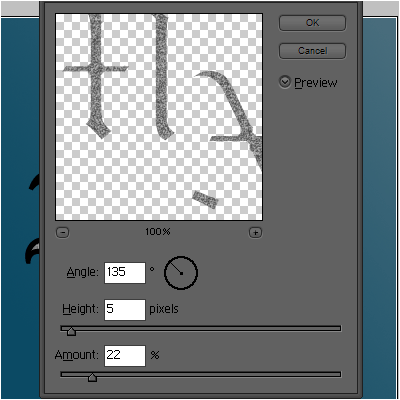

- Step 7 Now add these layer-styles to the black text;
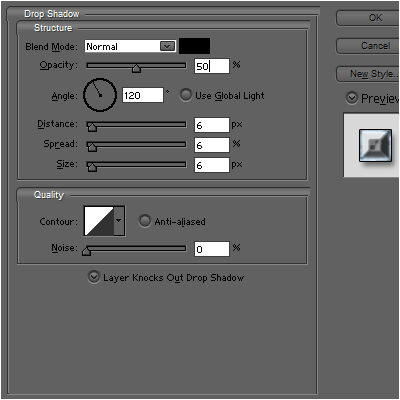
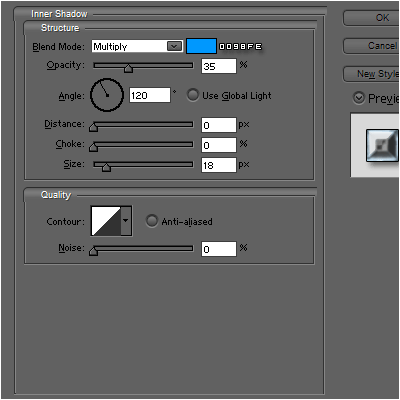
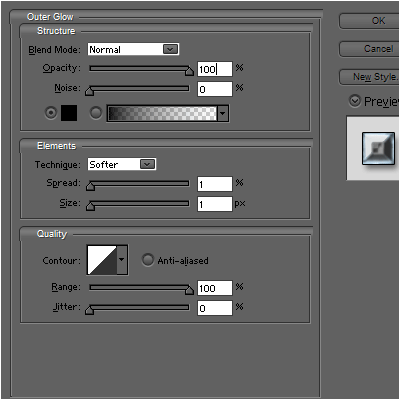
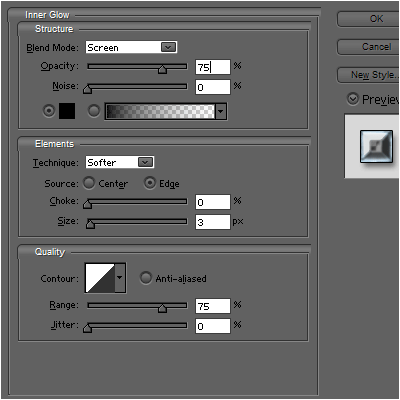
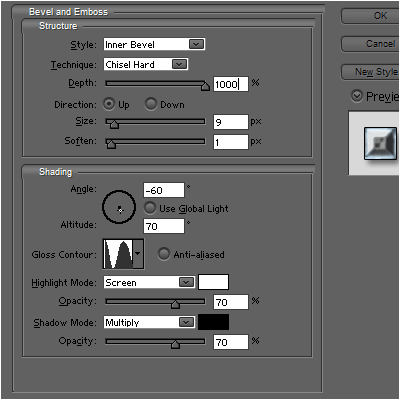
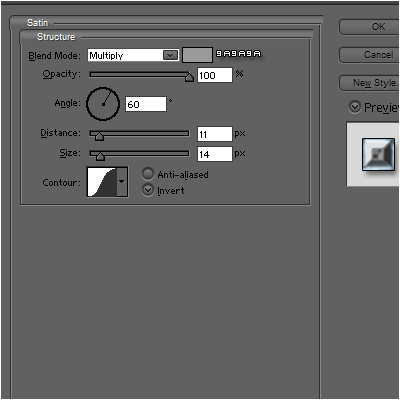
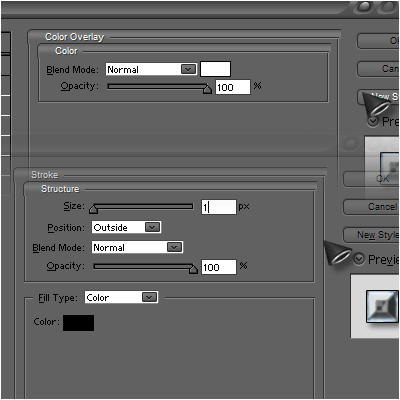


- Step 8 Now set the blending-mode of the greyish layer to screen!
 Thanks For
www.adobetutorialz.com

No comments:
Post a Comment